
Omada + MikroTik · Hotspot + PPPoE
Run your ISP like an operator,not a spreadsheet.
Billing, vouchers, and live network monitoring for hotspot and PPPoE networks — on the TP-Link Omada and MikroTik hardware you already own.
Live walkthrough for your network · Works with the router you already own
- RouterOmada or MikroTik
- HotspotCaptive portal
- SubscriberBuys a plan
- PaymentStraight to you
Works with what you already run
- TP-Link Omada
- MikroTik RouterOS
- RADIUS
- Hotspot
- PPPoE
- Paystack
- Bank transfer
- Cash to agent
- Termii SMS
- Captive portal
- TP-Link Omada
- MikroTik RouterOS
- RADIUS
- Hotspot
- PPPoE
- Paystack
- Bank transfer
- Cash to agent
- Termii SMS
- Captive portal
The platform
Everything the job needs, in one place.
Payments
Card, transfer, cash, or voucher.
Vouchers
Generate, print, redeem once.
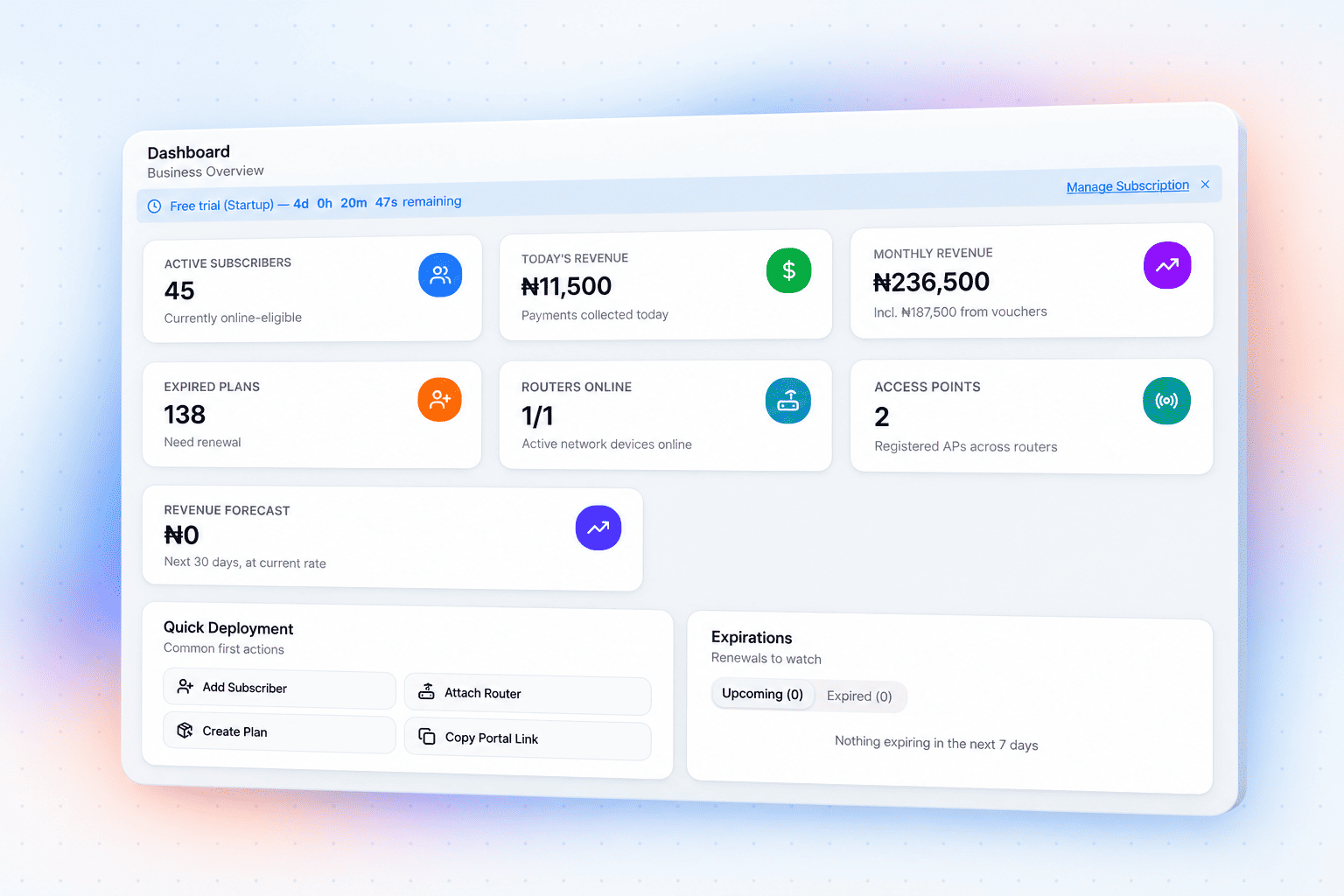
Live network
Router health and client traffic.
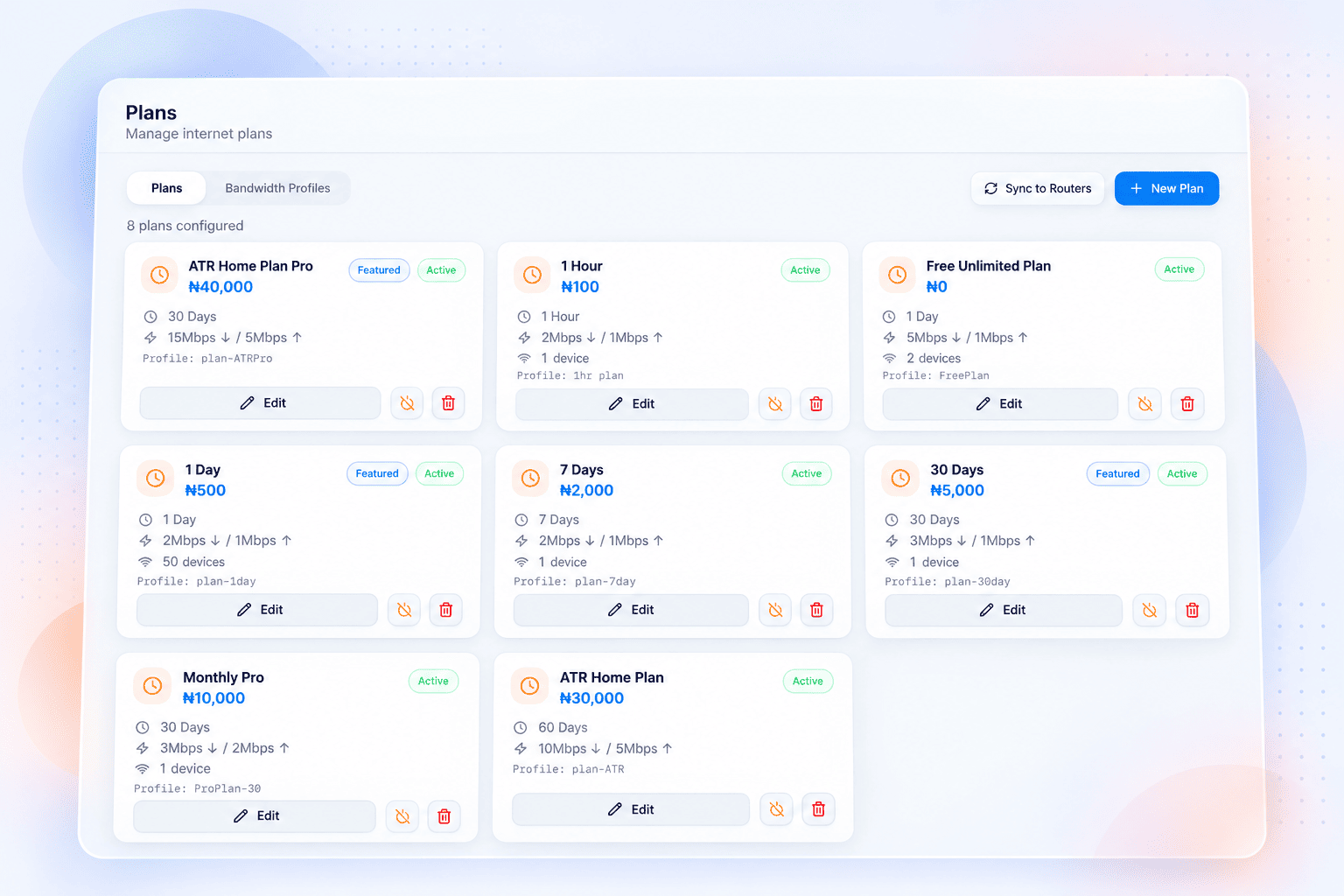
Bandwidth profiles
Speed caps and device limits per plan.
Subscriber SMS
OTP and expiry reminders, automatic.
Multi-tenant
Many networks, isolated data.
2
Router platforms supported
TP-Link Omada and MikroTik
4
Ways to collect payment
Card, transfer, cash, or voucher
0
Boxes you have to replace
Runs on the hardware you own
1
Workspace per ISP
Isolated at the database, not the app
Getting started
Four steps to your first payment.
Create your workspace
Verify a phone number and name your network to get started.
Connect your router
The wizard provisions Omada or MikroTik over the API, or hands you a config to paste.
Set your plans
Price, duration, speed cap, device limit. Vouchers if you sell them.
Take payments
Subscribers buy and renew on your captive portal. Access opens and closes itself.
Pricing
Priced per network, not per subscriber.
You keep what your customers pay you. Billed in naira.
Startup
₦10,000/mo
Billed monthly, cancel anytime
- Up to 100 active subscribers
- Up to 5 routers
- Subscriber plans and online payments
- Basic portal and router monitoring
- Standard email and ticket support
Professional
₦20,000/mo
Billed monthly, cancel anytime
- Up to 500 active subscribers
- Up to 15 routers
- Everything in Startup
- Vouchers with print and export
- Custom portal themes, policies and notices
- Detailed revenue and usage reports
- Priority support
Max 1
₦60,000/mo
Billed monthly, cancel anytime
- Up to 1,500 active subscribers
- Up to 50 routers
- Everything in Professional
- Agent wallets and sales
- Automation rules and alerts
- Portal ads and advanced analytics
- Priority support
Enterprise
₦100,000/mo
Billed monthly, cancel anytime
- Unlimited active subscribers
- Unlimited routers
- Everything in Max 1
- Agent wallets and sales
- Dedicated support
- Custom SLA
Built for the actual job
The parts of running a network that eat your week.
Renewals chased over WhatsApp, one customer at a time.
Expiry reminders send themselves, and subscribers renew from your portal without calling you.
Logging into the router to cut off whoever has not paid.
Access closes on expiry and reopens on payment. Nobody touches the router.
Finding out an access point is down when the complaints start.
Live router and AP status with client counts, so you see it before they do.
A voucher book, a cash tin, and no way to reconcile either.
Vouchers are generated in batches, redeemable once, and reconciled to the naira.
One person sharing their login across the whole compound.
Device limits and MAC binding per plan, enforced on the session itself.
A separate spreadsheet for every site you run.
Every site in one workspace, or separate workspaces that cannot see each other.
Questions
The things operators ask first.
If you run TP-Link Omada controllers or MikroTik routers, yes. The onboarding wizard connects over the vendor API and configures the hotspot or PPPoE server for you. If your setup needs it, there is a manual path that gives you the configuration to paste in yourself.
Card and bank transfer through Paystack, cash handed to an agent, or prepaid vouchers — whichever suits your market. Money from card payments settles to your own Paystack account; you can connect your own keys or use a platform subaccount.
No. Every ISP gets its own workspace, enforced with row-level security in the database rather than by filtering in the application. Subscribers, plans, payments and routers are scoped to your organisation and nothing crosses that line.
Yes — under your name, not ours. Customers install your portal straight to their home screen from Android or iPhone, with your logo and colours, and no app store involved. A printable QR poster in your dashboard points them to it, and your staff and agents get their own admin app the same way.
Existing sessions keep running on the router — it enforces access locally, so your customers stay online. The platform reconciles state when the link comes back.
Yes. The hosted version runs on Vercel and Supabase, or you can deploy on-premise if you would rather hold the data yourself.
Book a demo
See it running on your network.
Tell us about your network and we will walk you through the platform live, on the hardware you already own.